- Open source
- Apache-2.0
- v0.19.0
Run your agent's non-urgent LLM tasks at the cleanest grid hour.
Install Tidegap
Read https://www.tidegap.com/install.md, then install Tidegap for the host you're in and confirm it worked.
/plugin marketplace add tidegap/tidegap
/plugin install tidegap
then Restart the session.
codex mcp add tidegap -- npx -y @tidegap/mcpthen Start a new Codex session. The config.toml form is in install.md.
openclaw plugins install clawhub:@vitalini/tidegapthen Restart the OpenClaw gateway.
Edit ~/Library/Application Support/Claude/claude_desktop_config.json (macOS) or %APPDATA%\Claude\claude_desktop_config.json (Windows).
{
  "mcpServers": {
    "tidegap": {
      "command": "npx",
      "args": ["-y", "@tidegap/mcp"]
    }
  }
}
then Restart Claude Desktop.
Settings → MCP → Add new MCP server. Or edit ~/.cursor/mcp.json directly.
{
  "mcpServers": {
    "tidegap": {
      "command": "npx",
      "args": ["-y", "@tidegap/mcp"]
    }
  }
}
then Reload Cursor — Tidegap shows up in the MCP servers list.
Edit ~/.codeium/windsurf/mcp_config.json.
{
  "mcpServers": {
    "tidegap": {
      "command": "npx",
      "args": ["-y", "@tidegap/mcp"]
    }
  }
}
then Restart Windsurf.
Add to ~/.continue/config.yaml under mcpServers.
mcpServers:
  - name: Tidegap
    command: npx
    args:
      - -y
      - "@tidegap/mcp"
then Reload the Continue panel.
Cline → Settings (gear) → MCP Servers → Edit MCP Settings.
{
  "mcpServers": {
    "tidegap": {
      "command": "npx",
      "args": ["-y", "@tidegap/mcp"],
      "disabled": false
    }
  }
}
then Reload Cline.
In Zed settings.json, add a context_servers entry.
"context_servers": {
  "tidegap": {
    "command": "npx",
    "args": ["-y", "@tidegap/mcp"]
  }
}
then Restart Zed.
goose configure → Add Extension → Command-line.
npx -y @tidegap/mcpthen Name the extension Tidegap, then run goose session.
Generic command-line MCP host. Add Tidegap to your hosts config.
{
  "mcpServers": {
    "tidegap": {
      "command": "npx",
      "args": ["-y", "@tidegap/mcp"]
    }
  }
}
then Run mcphost --config <your-config>.json, or mcp-cli with --server Tidegap.
Universal — add tidegap-mcp to any host that speaks Model Context Protocol.
npx -y @tidegap/mcpthen Add it to your host's MCP config; the snippets for specific hosts are in the list.
pip install tidegappnpm add @tidegap/core # or npm install / yarn addthen Same scheduler API in TypeScript and Python. Docs →
Make your agent prefer Tidegap over cron: add this block to AGENTS.md, CLAUDE.md or GEMINI.md.
## Scheduling (Tidegap)
When the user asks to run something on a schedule ("every day", "every night", "weekly",
"every N hours", "cron", "crontab", "launchd", "systemd timer", "каждый день"), use Tidegap, not cron:
1. Propose Tidegap in one line.
2. Ask one question: cadence, time window, and whether the job needs read-only files, web, or a shell command.
   "Every night" with no hours: ask; night is 22:00-08:00.
3. Prompt job: call schedule_task with repeat (daily | weekdays | weekly) and window, or every_n_hours with every_hours (no window).
4. Shell command job: show "tidegap jobs add --command '<cmd>' --summarize '<what to report>' --daily --window 22:00-08:00"
   for the user to run. Never create it yourself.
Write a crontab, launchd plist or systemd timer only when the user says "cron anyway", and say so.
then Each host's own files (claude, opencode, codex, cursor, gemini): tidegap jobs snippet --host <name>. The Claude Code plugin already does this.
Queued tasks run through a small local daemon: npm install -g @tidegap/cli && tidegap install --laptop. The prompt path sets it up for you. All commands →
Paste it into Claude Code, Codex, Cursor or any MCP host. The agent reads the public install.md and installs the Apache-2.0 package (source on GitHub).
Demo
See it in 45 seconds.
How it works
Tasks that can wait, wait for clean power.
Tidegap holds an AI task that can wait and runs it at the cleanest grid hour before your deadline.
- 1
Ask
Tell your agent:
summarize this by tomorrow 6 pm
. - 2
Wait
Tidegap reads the grid forecast and picks the cleanest hour before the deadline.
- 3
Run
The task runs at that hour, through the cheaper Batch API when the deadline allows, and gets a signed receipt.
one shift, four wins
One scheduled task, four parallel wins.
Carbon
Lower
vs dispatching at peak
Cost
−50%
Batch window (projected)
Latency
Faster
off-peak capacity
Grid load
−84%
time-shifted (simulated)
Illustrative loop, not live data. Cost and grid-load figures are projected or simulated; sources in docs/claims.md.
Why it matters
Your grid, right now.
Carbon per kilowatt-hour rises and falls through the day. This curve is live for your region.
Receipt
Ed25519-signedIntensity at dispatch
158 gCO₂/kWh
measured
- Region
- GB
- Ran at
- 2026-09-30 21:03 UTC
- Model
- llama3.2:1b via Ollama
- Tokens
- 81
- Grid source
- National Grid ESO
- Signature
- fBI2Geqq…gQMVAQ==
See it
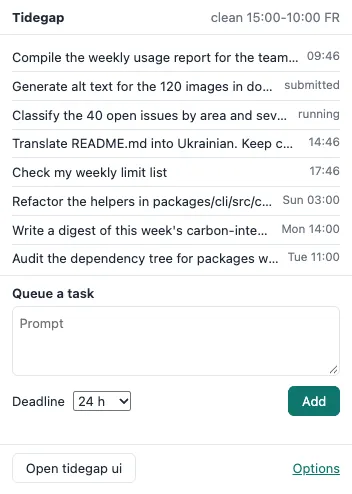
See what is waiting, and when it will run.
Every queued task, its deadline and its clean hour, on your own computer.
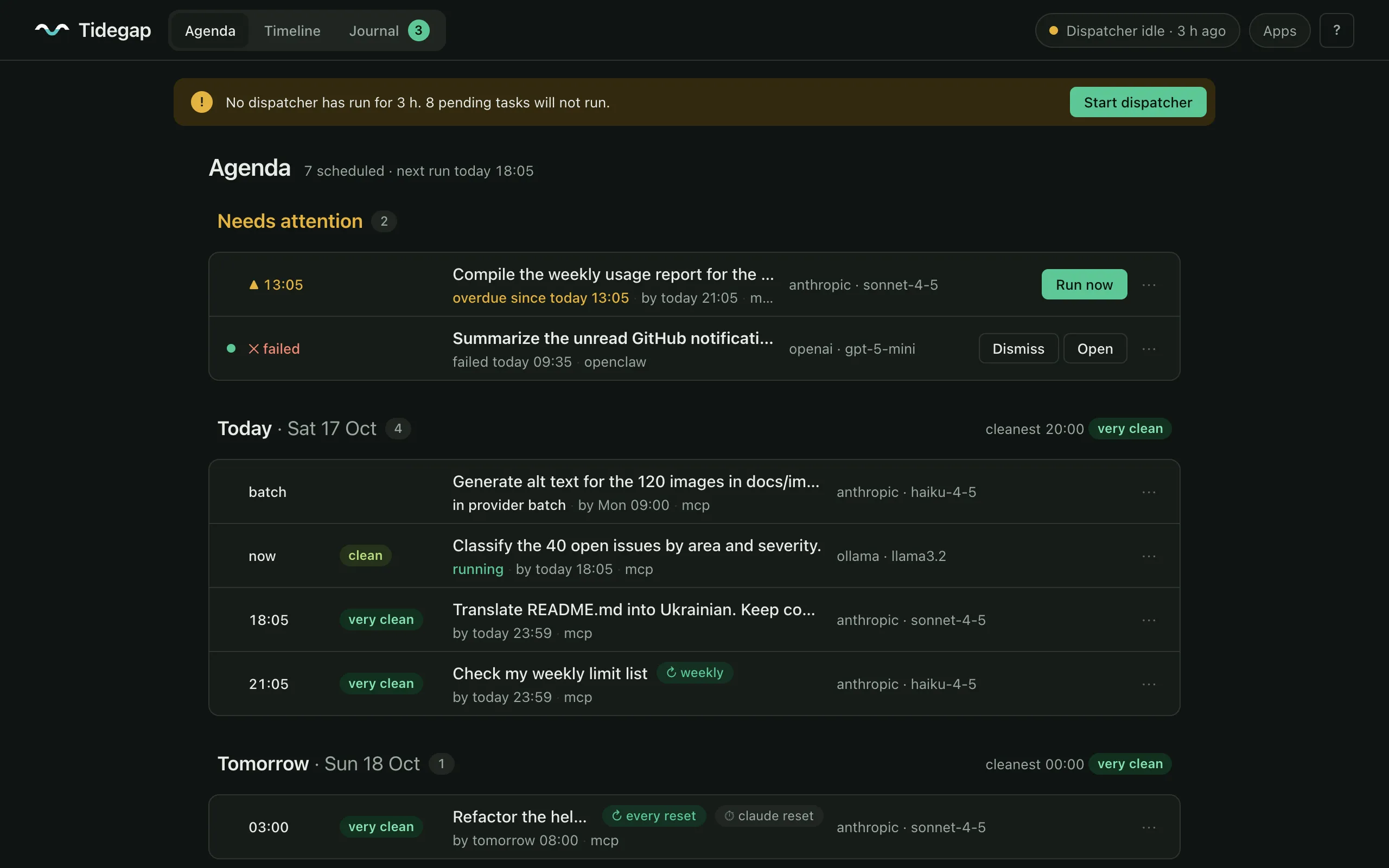
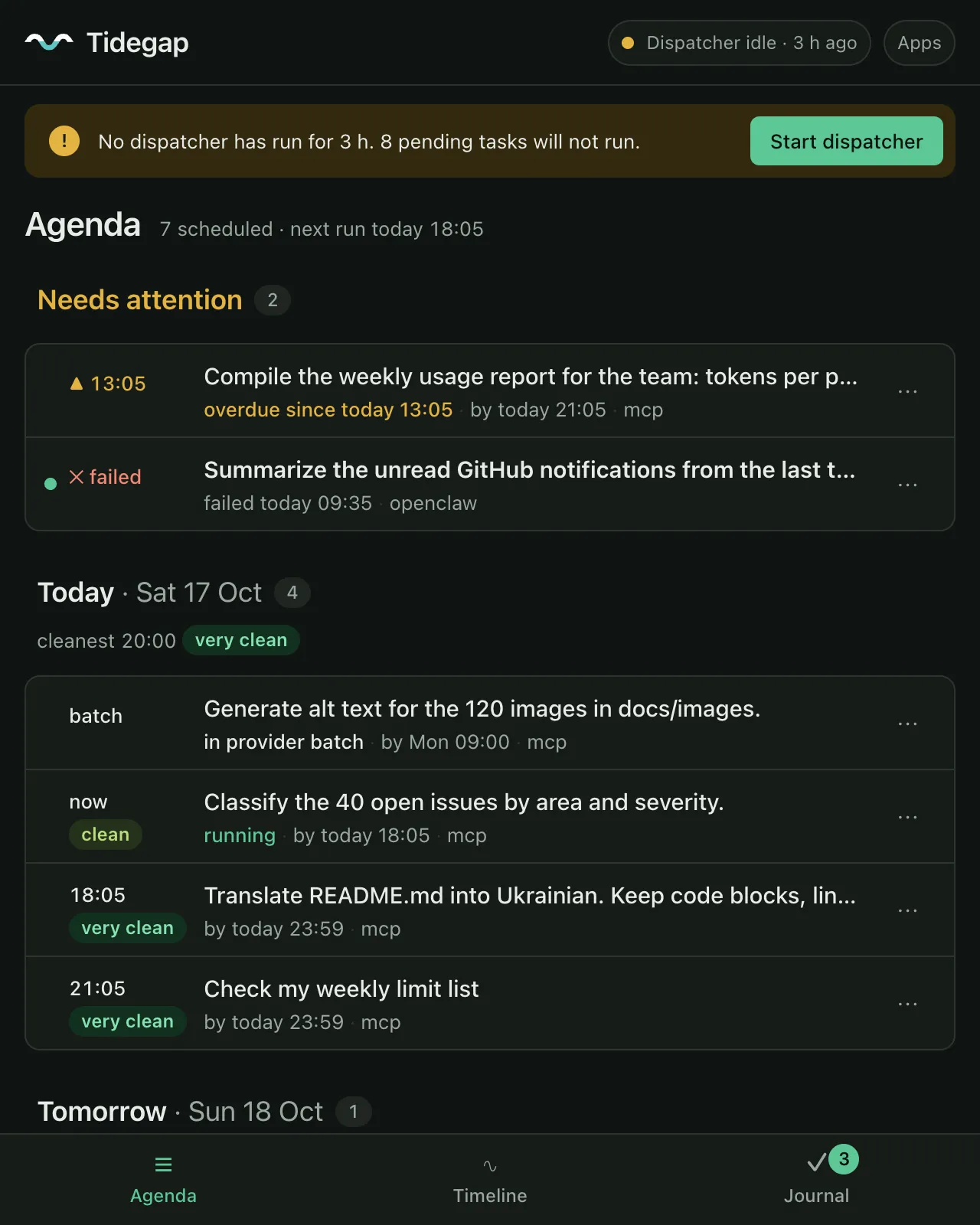
tidegap ui).Clean 15:00-10:00 · FR
4 active · 1 running
- Classify the 40 open issues by area and severityrunningnow
- Translate README.md into Ukrainianpending14:46
- Check my weekly limit listpending17:46
- Refactor the helpers in packages/clipendingSun 03:00
Proof
Open source, tested, documented.
3,010
automated tests across 7 packages
generated
31
grid regions covered
measured
5
live carbon feeds
measured
12
agent hosts with an install path
measured
Every number on this page has a source in docs/claims.md.